

The Claude Code pane
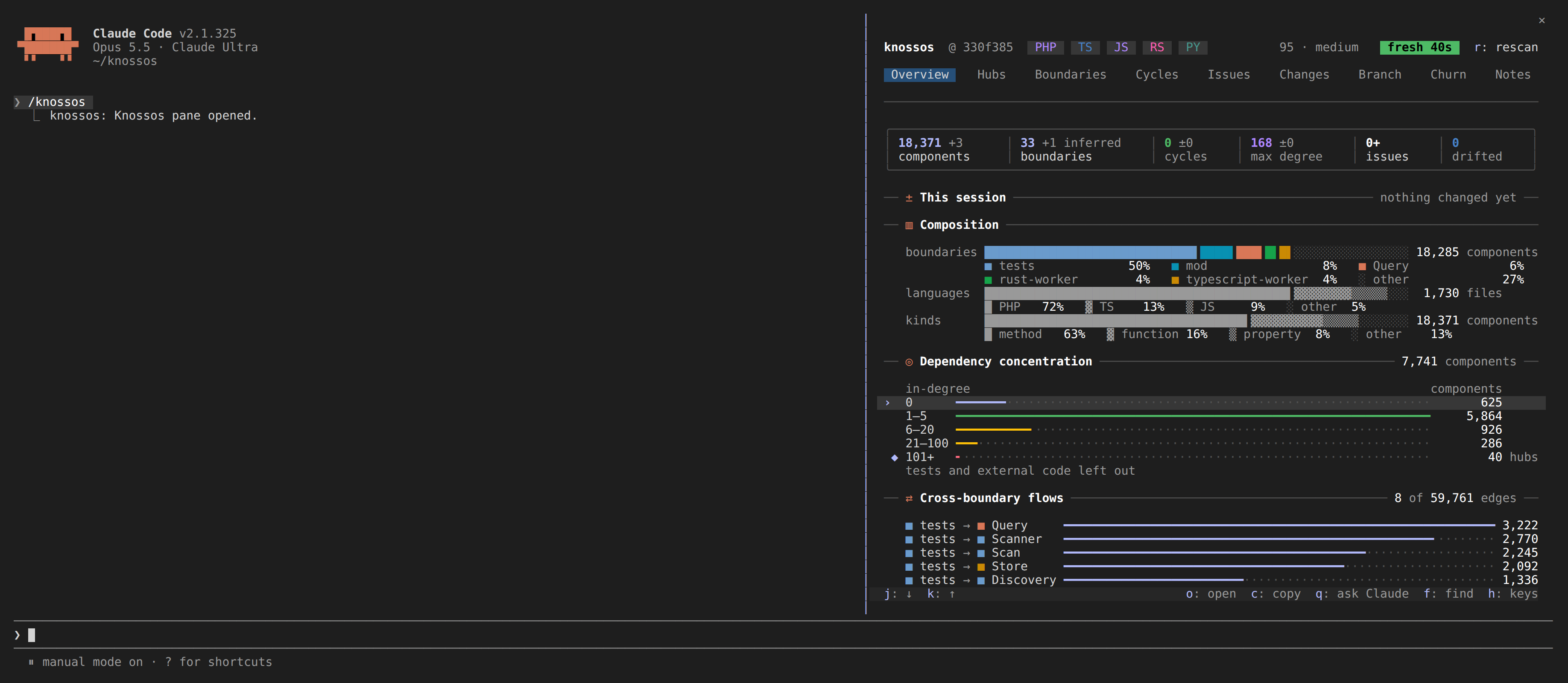
The Knossos plugin carries a mod for Claude Code: a module of function hooks that puts the graph on screen while a session works. You get three things:
- The band, one line above the prompt after a turn that edited files: what the turn changed and how far that reaches.
- The pane, which
/knossosopens: the project's architecture on nine tabs, with a detail for every component and file. - The live watcher, which rescans the project as files change, so the band and the pane follow the code whoever edits it.
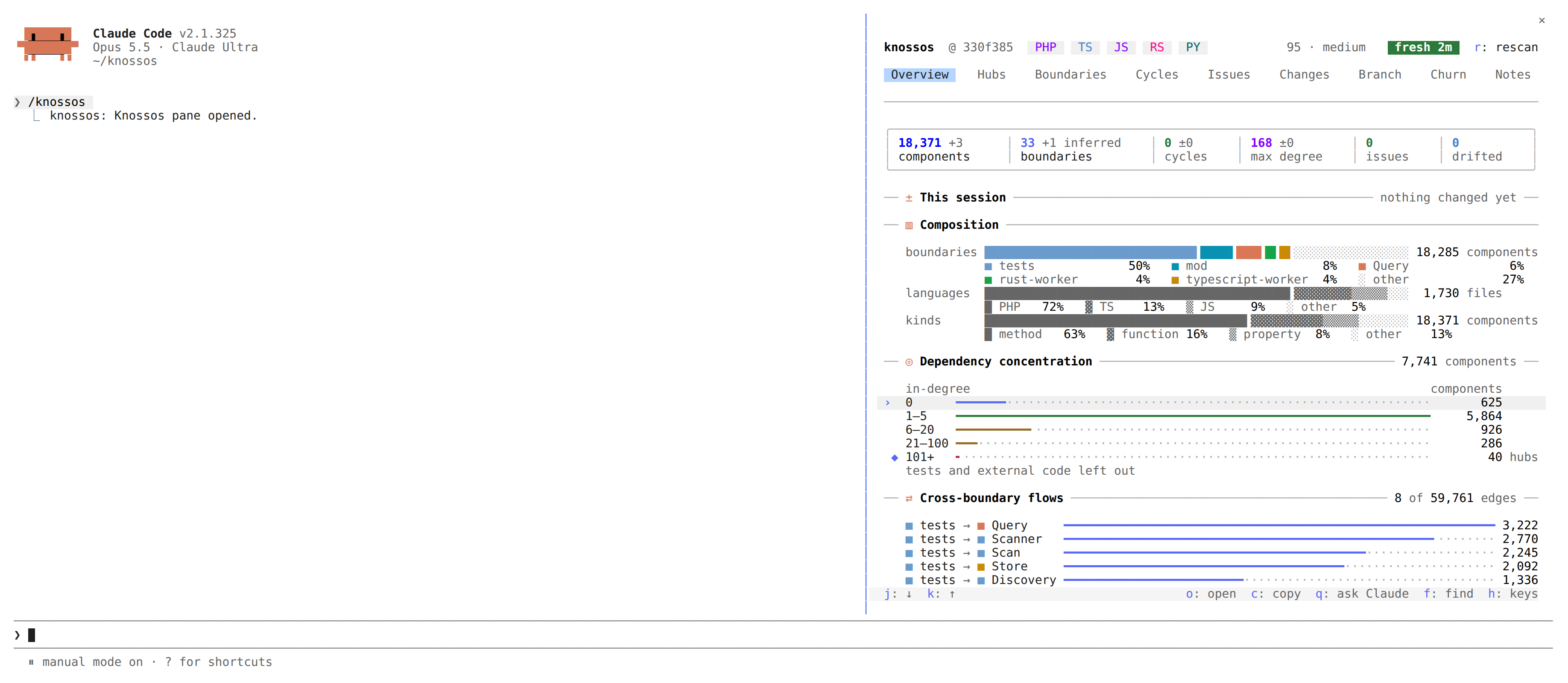
This is the pane open beside a session, on its Overview tab:
The mod also tells the model a few facts at the moment they help. Those messages are on their own page: messages for the model.
The mod never blocks an edit, never starts a turn on its own and never scans inside a hook. When something it needs is missing, it stays quiet.
Before you start
The pane needs three things, and shows nothing useful without them:
- The plugin, installed from the checkout that runs your Knossos server. See the plugin page.
- A
knossosbinary the hooks can find, and the data directory your server uses. The plugin page covers both. - A scanned project inside an allowed root. See your first scan. The pane can ask Claude to scan the project and can allow a refused root for you, both only on your press (see no graph yet).
Open the pane
/knossos opens the pane and closes it again. /knossos inspect <component> opens it on one component's detail. /knossos autostart on opens it whenever a session starts in this project, /knossos autostart off stops that, and /knossos autostart says which it is. The setting is kept per project, beside the roots file, and only a Claude Code session start reads it: the terminal pane and the web client open when you run them.
The openPaneOnStart plugin setting is gone. A value you set for it in your Claude Code settings no longer applies; run /knossos autostart on in each project where you want the pane to open with the session.
Right after a reload of the plugin, Claude Code can refuse to register the command until a session is bound. The mod retries for about a minute, then at the end of each turn.
Every time the pane opens it reloads the dashboard, so it never shows old figures as current.
The same pane also runs outside Claude Code: knossos opens it fullscreen in a terminal (a tmux split works well) and knossos web serves it in a browser tab. See the pane in a terminal and the pane in a browser.
The header
The first row names the project in bold, then where the checkout stands (the branch and the short commit, dim; the commit alone on a detached head, as in the stills; nothing outside git), the project's languages as small chips, each in its own colour, and at the right edge the width gauge and the status pill.
The width gauge says which layout the pane is in (see Layouts by width), where its width stands within that layout's span, and the width the next layout starts at: medium ━━━━━━▮─── wide 118/131. On the widest layout it says the width alone. With less room it shrinks to 118 · medium, and it is the first thing the header gives up.
While the live watcher keeps the graph current, the pill starts with a dot that breathes for a few seconds when a scan lands and then sits still; while a scan runs, a spinner turns in its place. Nothing in the pane moves while the graph is idle.
| pill | meaning |
|---|---|
● fresh 4s | the snapshot matches the files; the age is the snapshot's |
● stale 38m | files changed since the snapshot |
● live · 7s | the live watcher keeps the graph current; the age is since the graph last moved |
● following · 7s | another session's watcher leads for this project |
● scanning… | a scan is under way |
● refresh failed 2m | a reload failed; the figures on show are the ones from before |
● scan failed | a rescan failed; the reason stands beside the pill |
When the leading watcher stops answering, the pill says another session's watcher is stuck beside it. While another process holds the scan lock (the model's scan_project, knossos scan from a shell), the pill says scanning… with another process is scanning (pid 1234) beside it, and the pane offers no rescan of its own until that scan ends. As the pane narrows, the width gauge goes first, then the language chips, then the commit, the branch and the reason.
In a detail, the first row is the way back instead: knossos › Hubs › ResultEnvelope.
The second row is the tab bar. The open tab stands on the theme's selection colour. Issues and Changes carry their counts as superscript badges (Issues³, Changes¹), and Branch carries what it found. Where the names do not fit, and always on a narrow pane, the other tabs show only their digit.
r: rescan sits beside the pill whenever no scan is running, whatever the pill says. On a narrow pane the label is the first thing to give way, before the reason beside the pill; r still rescans. It runs an incremental scan under the same rules as a turn's, with scanning… and the age of the figures on show meanwhile. A rescan that fails turns the pill to ● scan failed, says why beside it, and keeps the figures. A scan the system killed or that found the graph locked is tried once more after 10 seconds, with the pill still on scanning…. The reasons are kept in scan-failures.jsonl beside the database, and knossos doctor lists the ones from the last day.
Layouts by width
The pane uses all the room it has, in one of three layouts by the columns of its body:
| width | layout |
|---|---|
| narrow, below 80 | one column; each card is a title set into a rule, its rows from the edge |
| medium, 80 to 130 | one column of cards, their rows two cells in; tables add columns, such as the file |
| wide, more than 130 | a grid of cards, two columns to a row, the cards of a row drawn equally tall |
Every card is its title in bold after a glyph in Claude's orange, set into a rule across the card, with its note at the rule's end and a blank row under it; no box closes round it.
On a wide pane, Hubs, Cycles, Issues, Changes, Branch, Churn and Notes become master and detail: the tab takes the left 55 percent and the marked row's detail stands beside it. Moving the marker looks the new row up after a short pause, so holding j is one lookup. A row with nothing to show (a boundary, a chart's bar) leaves the tab alone. On a narrower pane, o opens a row's detail in place of the tab.
Lists size themselves to the pane's height and fill it. A list cut short ends in 24 more ↓ (and 3 above ↑ once the marker has moved down it), and moving the marker scrolls it. Each part of that line is a button that moves the marker onto the nearest row it counts, the last above or the first below, and the list follows. A list the marker does not walk (the tests that reach the changes) keeps it as text. A pane too short for even a few rows scrolls as a whole.
The mouse wheel over a list cut short scrolls that list, as a browser does: the marker stays where it is and may scroll out of view, and each list keeps its own place. Moving the marker (j, k, a click), switching tab or opening a detail brings every list back to the marker. Over a list that shows whole, at a list's end, or anywhere else, the wheel scrolls the pane.
Keys
Every key is also a button, so a click works as well. The footer bar at the bottom of the pane lists the keys that do something in the view on show: moving about on the left, what you can do to the marked row on the right. For a moment after an action the footer says what it did (✓ copied StableId, ✓ opened in editor, ✗ code exited 1 · path copied). h lists every key, one a line, in place of whatever is open; h or x closes the list, and so does any other press, a tab or f, which then does what it does:
| key | what it does |
|---|---|
1–9 | switch tabs (or click one) |
j k | move the marker (or Tab, the arrows, or a click) |
o | open the marked row: a component or a file shows what depends on it, an Overview bar the tab it counts |
e | open the marked row's file in your editor |
b | back from a detail or a route |
c | copy the marked row's full name or path |
q | ask Claude about the marked row: your press sends the prompt |
t | on Overview and Changes: copy the command for the tests that reach this session's changes |
d | list the files drifted since the snapshot, or hide them |
u | on Overview and Changes: list only the changed files no test reaches, or every file again |
l | on Boundaries: move the marked cell to the next boundary the marked one depends on, and spell it out |
f | find any component or file by the letters of its name; Enter opens the first match, x closes the finder |
p | in a component's detail: pick another component in the finder and draw the route between them |
m | in a component's detail: add a note to it; knossos checks it first, and y records it |
n s x | on Hubs: narrow the list (type, then Enter), sort by in, out or cross, clear the narrowing or the in-degree range |
n s x | on Notes: narrow by text (type, then Enter), show every note, yours, the model's, the stale, the missing or the flagged, clear both |
m w g | on Notes: edit your note or adopt the model's as yours, remove a note (asks first), flag the model's note for it to check (or take the flag back) |
v | on Notes: say a stale note of the model's is still true, so it rests on its files as they are now |
z | on Notes: write every note to knossos-notes.json in the project root |
i | on Notes: import knossos-notes.json from the project root; shows what changes, y imports |
r | rescan the project now, fresh or not |
a | allow a refused root (asks first) |
Escape cannot be caught by a pane (it hands the keyboard back to the prompt), so b is the way back.
Opening a file. Every file:line the pane shows opens that file's detail when you click it. e opens the file in your editor instead: it runs the editor setting, code -g {file}:{line} unless you set another, which VS Code and its forks answer (idea --line {line} {file} for IntelliJ, "/opt/Sublime Text/subl" {file}:{line} for a program whose path has spaces). When the command fails, the pane copies path:line to your clipboard, the footer says how it failed (✗ code did not start · path copied), and a toast names the command it ran and where to set another. A terminal editor from $EDITOR cannot be started this way, since it needs a terminal of its own.
Asking Claude. q submits one prompt for the marked row. For a component or a file:
Using the Knossos graph, what depends on <canonical name> and what would break if I changed it?On Cycles it asks how to break the cycle, on Boundaries what the boundary's dependencies are for, and on Overview about the bar the marker rests on. The mod submits a prompt in two places only, each on your press: this one, and the request to scan a project that has no graph yet.
Colours
The pane draws in your Claude Code theme's own colours, so it follows a dark, light, daltonized or ANSI theme and a theme you pick in /config. Colour marks what matters first, and gives the pane its life within the theme:
- Each boundary keeps one of seven colours wherever it appears, the largest boundaries first and declared ones before inferred ones. The colour sits on a small
■swatch, a bar or a frame, never on a word. Red is never a boundary's colour. success,warninganderrormean a status only, always beside a glyph or a word that says it. On this pane red means an error or a policy violation.- The marked row stands on a faint tint across its card, with its
›kept for a terminal that draws no backgrounds. - Card glyphs stand in Claude's orange, each stat tile's figure in its own hue while nothing is wrong with it, each language chip in its own colour, and the in-degree histogram runs cool to hot, from the fewest dependants to the hubs. None of these hues is a boundary's.
- Everything else is neutral: names and figures in the text colour, labels and units dim, bar tracks fainter still.
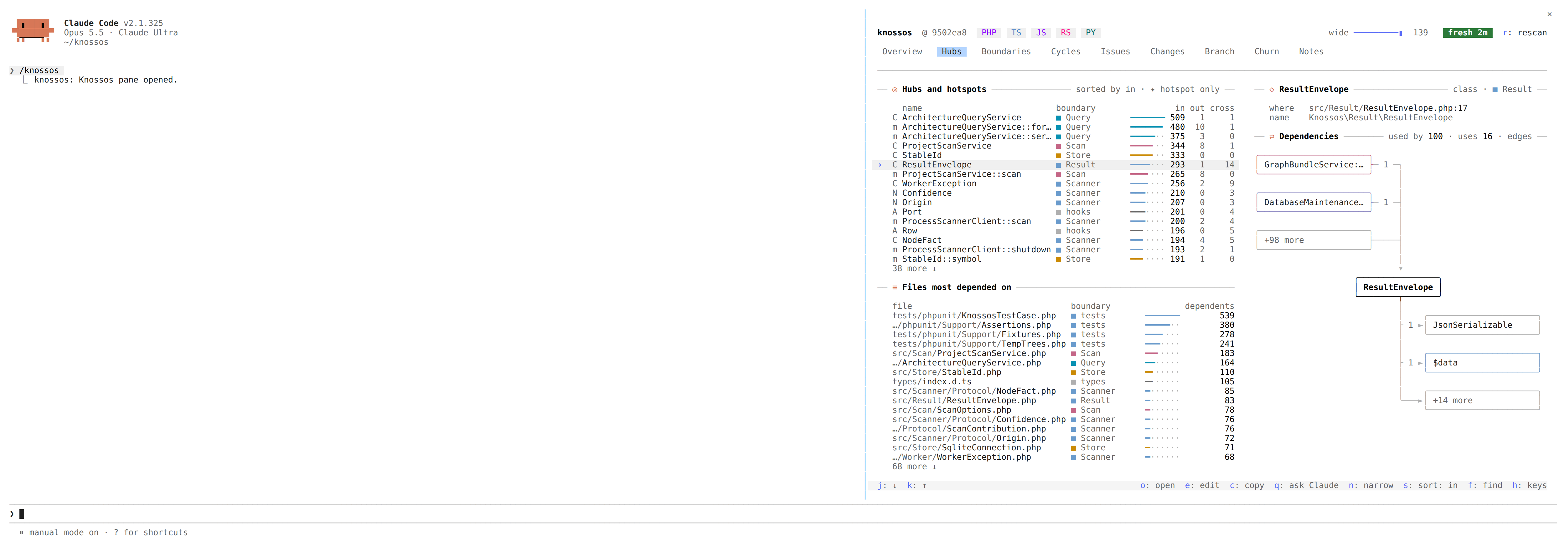
When a new snapshot lands, the rows whose figures it changed are drawn on a cool ground for about three seconds, and the Overview's bars grow in.
Settings
The settings appear in Claude Code's plugin configuration under the plugin's name:
| setting | default | what it does |
|---|---|---|
enabled | true | turns the band, the messages and the pane on or off |
fanInThreshold | 20 | dependent files at which a Read or an edit gets a message, 1 to 100,000 |
agentNotes | true | gives the model its messages; the toast on an edit stays |
enforcePolicies | true | tells the model about violations a turn introduced |
watch | true | runs the live watcher |
watchPollMs | 1000 | how often the watcher looks for changes, 250 to 60,000 milliseconds |
notifications | true | toasts each new cycle or policy violation a scan brings, once |
editor | code -g {file}:{line} | the command e runs, {file} and {line} filled in |
What it writes
The mod writes to the graph in three ways, and nothing else:
- After a turn that edited files with Edit, Write or NotebookEdit, it runs
knossos turn-brief, an incremental scan of the project. A turn that only ran shell commands starts one when the live watcher noticed a change while a command ran, or when a command moved HEAD by more than a commit (a checkout, a reset, a pull); a command is never followed by a scan of its own. rrunsknossos rescan, the same scan without the brief.- The live watcher runs incremental scans as files change.
Each of these records what it changed in the scan ledger. They run only for a project already scanned inside an allowed root, never inside a hook, and never two at a time within a session. The watcher also writes its lock and state files under watch/ beside the database.
Two writes need your confirmation first: allowing a root writes the roots file, and a note writes one row of annotations. The dashboard keeps its computed figures for each retained snapshot in a cache table, as every caller of the trend query does. None of them ever creates a database.
When it stays silent
- No
knossosbinary on the path or in the usual locations (see the plugin page). The wrapper answersno-binary, the mod writes one log line, and the band and the pane turn off for the session. - The project is not inside an allowed root: the band names the root instead of figures.
- The project has never been scanned.
- An older Claude Code without function hooks ignores the module; the session brief keeps working.
A call the wrapper refuses (a subcommand it does not run, an argument it does not let through, a file that is a link out of the project, a KNOSSOS_RUN_TIMEOUT that is not a whole number of seconds from 1 to 86,400) is not silent: the wrapper prints {"status":"refused","by":"wrapper","reason":"..."}, the mod writes one debug log line naming the subcommand and the reason, and reads the answer as no data.
Every other failure is silent by design. The band keeps its last figures with their real age, and a timeout or an empty answer is asked again at the next turn that edited files.
Paths are compared after symbolic links are resolved, so a checkout you open through a linked directory is still recognised as the project.
Each call through the wrapper is bounded: 60 seconds for turn-brief and the rescan, 30 for dashboard and branch-diff, and 15 for the rest. The watcher is not bounded; it lives as long as the session.
How the mod is built, from the port it reaches Claude Code through to the tests that keep the pane within the engine's limits, is in how the mod is built.