

Finding and reading components
The read surface: locate a project, locate a component inside it, read that component, and list every place a symbol is used. None of these tools edits your project. They are annotated idempotent, but only list_projects is annotated read-only: the others can rescan a stale graph first, which writes Knossos's own graph. Pass refresh_if_stale: false to prevent that on one call; the agent integration page has the rest. Every one returns the shared response envelope. What the components, edges and evidence in the answers are is explained in the graph and its evidence.
| Tool | CLI | Answers |
|---|---|---|
list_projects | list-projects | Which projects are scanned, how fresh, how large. |
find_component | find-component | Candidates by part of a name, or by their file. |
inspect_component | inspect-component | One component's roles, relations, and evidence. |
list_usages | list-usages | Every usage site of a symbol, with path:line. |
architecture_summary | architecture-summary | A one-call overview by language and node/edge kind. |
search_architecture | search-architecture | Components by name, role or note text, filtered. |
file_metrics | file-metrics | Files ranked by line count or path. |
list_boundaries | list-boundaries | How the codebase is partitioned. |
export_diagram | export-diagram | Mermaid or PlantUML source for the current graph. |
Project catalogue
Knossos stores stable project IDs in SQLite. Use the catalogue instead of rescanning merely to recover an ID:
knossos list-projects --limit=50 --offset=0 --jsonThe equivalent MCP tool is list_projects:
{
    "limit": 50,
    "offset": 0,
    "include_roots": false
}
Absolute project roots are omitted by default because clients normally need the stable ID, name, snapshot, freshness, and counts. Opt in with --include-roots on the CLI or include_roots: true through MCP when the local path is necessary.
Each result includes active and latest scan metadata plus file, node, edge, and diagnostic counts. freshness has these stable values:
| Value | Meaning |
|---|---|
ready | The active snapshot is complete and its local root is available. |
unscanned | The project exists but has no active snapshot. |
scan_in_progress | A newer scan is running while the previous snapshot remains queryable. |
latest_scan_failed | A newer scan failed; the previous snapshot remains active. |
latest_scan_cancelled | A newer scan was cancelled; the previous snapshot remains active. |
root_unavailable | The active graph is queryable, but its recorded root is not currently mounted. |
Results are ordered by most recently updated project and then stable project ID. Pagination returns next_offset and result_limit when another page is available. Limits are bounded to 100 projects per request and offsets to 100,000.
Component inspection
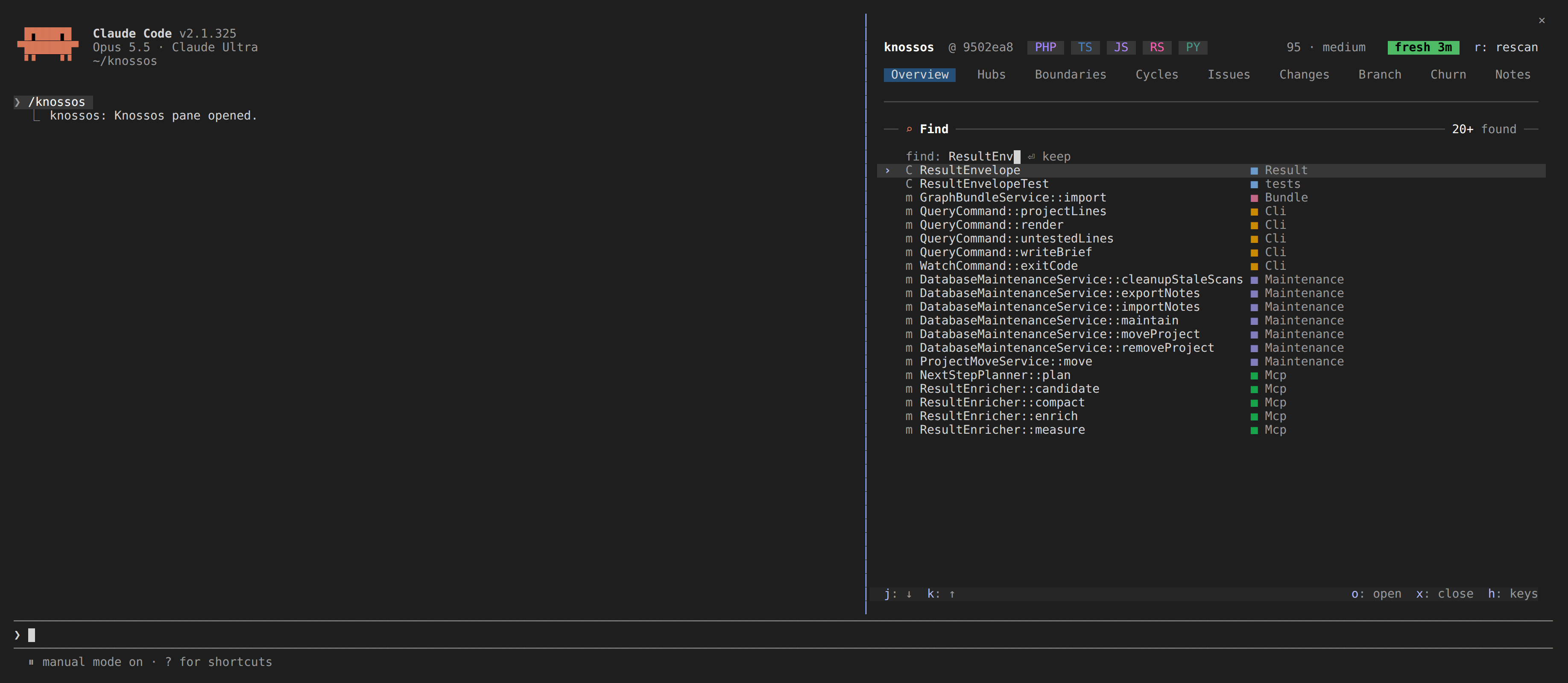
Use inspect_component after search when a coding task needs one bounded, model-friendly component dossier rather than several graph queries:
{
    "project_id": "project_...",
    "component": "symbol_...",
    "max_relationships": 25,
    "max_children": 25,
    "min_confidence": "possible"
}
The equivalent CLI command is:
knossos inspect-component project_... symbol_... \
  --max-relationships=25 --max-children=25 --json
component accepts a stable node ID or a name. A unique match returns identity, attributes, roles, boundaries, parent, children, source evidence, and separately bounded incoming and outgoing relationships. An ambiguous name returns ambiguous: true and candidates without silently selecting one; a missing name returns a null component.
Relationship limits apply independently in each direction. truncation_reasons uses child_limit, incoming_relationship_limit, and outgoing_relationship_limit. Confidence filtering accepts possible, probable, or certain; a stricter level omits weaker static facts rather than upgrading their confidence.
Finding by file
find_component also takes a file path, read as file_context reads one: project-relative, ./-led, or absolute under the project root. When no component's name matches, it returns what that file declares, its module first, and says so in declared_in. A Python module is named in dotted form (app.models) and a PHP file has no module node, so a path is the only name a caller may have for either.
A member declared in another file than the type that contains it, such as a Rust method in an impl block of another module, is named after its type, so its name reads as if it lived beside it. find_component, search_architecture and inspect_component give such a member its own declared_in, the file it is declared in.
Search
search_architecture matches each word of the query against a component's name, the words its attributes hold (a route's path, never an attribute's own name or the scanner's bookkeeping) and roles, and against the text of the notes recorded on it. A note holds what the graph cannot, such as a reference kind no symbol is named after, so a search for that word still finds the component the note is on. A name equal to the query ranks first, then a name starting with it, then the rest; a component found only through a note ranks after every one whose own name, attributes or roles match, and the result carries the notes of what it found.
Every word has to match. When no component matches all of them, the search returns the components that match some, most words first, sets match to any_term (otherwise all_terms), and says so in the summary, so a description with one word the code never uses still finds what it describes.
A note can also rest on a name the graph does not hold, such as a symbol built at runtime. When no kinds, roles, boundary_ids or confidences filter is given, the first page lists such notes whose name or text holds every word in notes_without_component, at most 20, each with its text, author and stale flag, and the summary counts them.
With files, the answer also lists the project files whose path holds every word, under files, and a query naming a project file no component matches returns what that file declares, with match set to declared_in.
List usages
Use list_usages when you need every call/reference site of a symbol with file:line evidence: the grep killer. Because edges are occurrence-level facts (their stable id includes the evidence location), this is a direct listing: two calls from the same caller to the same callee on different lines are two distinct rows. Each row carries the edge's stored attributes, so a qualification an enricher recorded on the relationship (a profile, a condition) stays attached to the usage instead of reading as unconditional.
For a PHP property, the list holds its readers and writers, and each row's attributes.access says read, write or read_write.
For a method, the list also holds the call sites of each interface or parent method it implements or overrides: a caller typed on the interface calls the interface's method in the graph. Those rows carry via_supertype, naming that method, and are at most probable, since which implementation runs is a guess; min_confidence: certain leaves them out.
Each row also says whether its source is test code (test), and the summary and bounds.outside_tests count the sites outside tests. Pass exclude_tests: true (--exclude-tests) to list production sites only. The summary states what the list covers: every static reference the graph resolved, and no call made through a string, reflection or dynamic dispatch. In compact verbosity a row leaves out its edge_id, origin and an empty attributes; full keeps them, and the evidence entries keep each edge id.
{
    "project_id": "project_...",
    "symbol": "App\\InvoiceService",
    "edge_kinds": [],
    "min_confidence": "possible",
    "limit": 100
}
The equivalent CLI command is:
knossos list-usages project_... App\\InvoiceService \
  --min-confidence=possible --limit=100 --json
symbol accepts a stable node ID or a name; ambiguous names return ambiguous: true with candidates rather than silently picking one, and an unmatched name returns an empty candidates list without a target key.
Occurrence semantics
Each row in usages is one edge: edge_id, kind, confidence, origin, the calling source component (id, kind, canonical/display name), and the evidence location (path, start_line, end_line). Rows are ordered by path, then start line, then edge id, so results are deterministic across repeated calls against the same snapshot.
The contains exclusion
edge_kinds defaults to IMPACT_EDGE_KINDS (the same dependency-relationship set used by impact_analysis and friends), which deliberately excludes contains. A method's own class containment isn't a "usage" of that method, so it never shows up here even though it is a real edge in the graph. Passing contains explicitly in edge_kinds is rejected with an InvalidArgumentException.
Limits
limitaccepts 1–500 (default 100). Exceeding the available rows setsbounds.truncation_reasonsto["result_limit"]andtruncated: trueon the envelope.edge_kindsaccepts at most 20 kinds, each drawn from the impact edge kind set; anything else is rejected.min_confidenceacceptspossible(default),probable, orcertain; a stricter level omits weaker static facts rather than upgrading their confidence.
Unlike impact_analysis, which walks the transitive dependency graph, list_usages shows only the direct, one-hop occurrences: the literal call sites you'd otherwise have to grep for.
Diagram source export
export_diagram emits deterministic Mermaid flowchart or PlantUML component source for the active static graph. It never invokes a renderer or writes an output file. Use format, direction, optional boundary ID/name, edge_kinds, min_confidence, max_nodes, and max_edges to control scope.
Stable local aliases keep generated syntax safe while human labels are escaped. An ambiguous boundary name is rejected; use its stable ID. The response carries the diagram string, source evidence, exact exported counts, and node/edge truncation reasons. A CLI call without --json prints the raw diagram:
knossos export-diagram PROJECT_ID --format=mermaid --boundary=BOUNDARY_IDThe export is a bounded view of indexed static facts and shows no runtime behaviour. It may omit dynamic relationships and is explicitly incomplete when truncated.