

First scan
You have Knossos installed. This page takes you from there to a graph of one of your projects, checks that the graph is there, and points you at the two places to use it.
Scan a project
Point knossos scan at the project's directory. If you registered the server through tools/install, export the same data directory first, so the CLI and the server read one graph (see one data directory):
export KNOSSOS_DATA_DIR="$HOME/.knossos"
bin/knossos scan /absolute/path/to/your-project
The scan reads source files only. It never installs dependencies, runs your code or boots a framework. It prints the size of the graph and the ids you need for later calls:
Scanned 212 files into 1480 nodes and 3105 relationships.
Project: project_5a21f82c...
Snapshot: scan_3a08192c...
A node is a component the scanners found (a class, a method, a route, a module). A relationship is an edge between two of them: a call, an import, an inheritance link. Your counts will differ.
The default mode, auto, scans everything the first time and rescans only what changed afterwards. If the project has a knossos.json in its root, the scan reads it for ignores, boundaries and limits.
A project that is not a Git repository scans fine. The scan prints one line saying Git could not answer, and change_impact still returns the static impact.
Check that it worked
List the projects in the data directory:
bin/knossos list-projectsFound 1 persisted project.
project_5a21f82c... your-project ready files=212 nodes=1480 edges=3105ready means the active snapshot is complete. Then ask the graph something. architecture-summary returns the boundaries and the hubs, and export-agent-brief renders the same orientation as markdown:
bin/knossos architecture-summary project_5a21f82c...
bin/knossos export-agent-brief project_5a21f82c...
If the brief lists the boundaries and hubs you expect, the scan worked. If it is empty or the language mix is wrong, run bin/knossos doctor to check that every worker starts, and check the ignore list in case a directory you care about is excluded by default.
From inside a project you can skip the id. session-brief, dashboard and the other path-addressed commands read the database KNOSSOS_DATA_DIR names, or, when it is unset, the nearest .knossos/knossos.sqlite at or above the path:
cd /absolute/path/to/your-project
bin/knossos session-brief
To look at the graph yourself, run knossos in the project: it opens the pane in your terminal (see the pane in a terminal), and knossos web opens it in a browser.
A worked example
The output below is real, from a scan of the Knossos repository itself, abridged with …. The scan reports what each language worker read:
$ bin/knossos scan . --json
{"summary":"Scanned 743 files into 11054 nodes and 65870 relationships.",
 "data":{"files":743,"nodes":11054,"edges":65870,"diagnostics":0,"mode":"full",
 "scanner_metadata":{"knossos.php":{"files_scanned":621},
   "knossos.typescript":{"files_scanned":106,"programs":5, …},
   "knossos.python":{"files_scanned":7,"parser":"python.ast"},
   "knossos.rust":{"files_scanned":9,"parser":"rust.syn"}}, …}}
Orient yourself in a codebase you have never opened:
$ bin/knossos architecture-summary project_1b4f41… --json
{"summary":"Knossos-MCP contains 11054 nodes and 65870 relationships.",
 "data":{"node_kinds":[{"kind":"method","count":6379},{"kind":"function","count":1391},
   {"kind":"property","count":849},{"kind":"class","count":726}, …],
  "edge_kinds":[{"kind":"calls","count":43552},{"kind":"contains","count":8827},
   {"kind":"references","count":5888}, …]}}
Ask what breaks if you change an interface. Each of its dependents carries the edge that justifies it and the exact source line, so you can check the answer:
$ bin/knossos impact-analysis project_1b4f41… 'Knossos\Scanner\ScannerClient' --json
{"summary":"Found 100 potential static dependants within depth 4.",
 "data":{"target":{"kind":"interface","canonical_name":"Knossos\\Scanner\\ScannerClient", …},
   "dependants":[{"node":{"canonical_name":"Knossos\\Scanner\\Worker\\ProcessScannerClient", …},
     "distance":1,"path_confidence":"certain",
     "via":{"kind":"implements","origin":"ast",
       "explanation":"ProcessScannerClient depends through --implements (certain, ast)--> ScannerClient",
       "evidence":{"path":"src/Scanner/Worker/ProcessScannerClient.php","start_line":11}}}, …],
   "counts":{"by_distance":{"1":5,"2":22,"3":73},
     "by_confidence":{"certain":100,"probable":0,"possible":0}}, …},
 "warnings":["Impact is a conservative static blast radius; it does not guarantee that a dependant will break."]}
Find refactor targets without wc and find:
$ bin/knossos file-metrics project_1b4f41… --limit=3 --json
{"summary":"3 of 743 files by line_count desc.",
 "data":{"files":[{"path":"workers/typescript/src/scanner.js","language":"javascript","line_count":5077},
   {"path":"src/Discovery/ProjectDiscoverer.php","language":"php","line_count":2835},
   {"path":"tests/phpunit/Reconciliation/GraphReconcilerTest.php","language":"php","line_count":2760}]}}
Answers that rest on inference say so: the impact warning above, and dead-code candidates that report an absence of evidence. Over MCP the same calls default to a compact verbosity that names each component once, and the saving grows with the result; see response envelopes.
Let the server read it
The CLI scans any directory you give it. The MCP server answers only for directories on its allow-list, and a project you scanned from the shell is not on it until you add it. Starting Knossos in the folder does that for you: run /knossos in a Claude Code session there, or knossos in the folder. To do it by hand, for a locked-down setup or a container:
bin/knossos allow-root /absolute/path/to/your-project --executeWithout --execute the command previews the change. The server re-reads the roots file on every request, so the grant takes effect without a restart. When a path is rejected, call server_info: it names the roots in force and the file to extend.
Next step
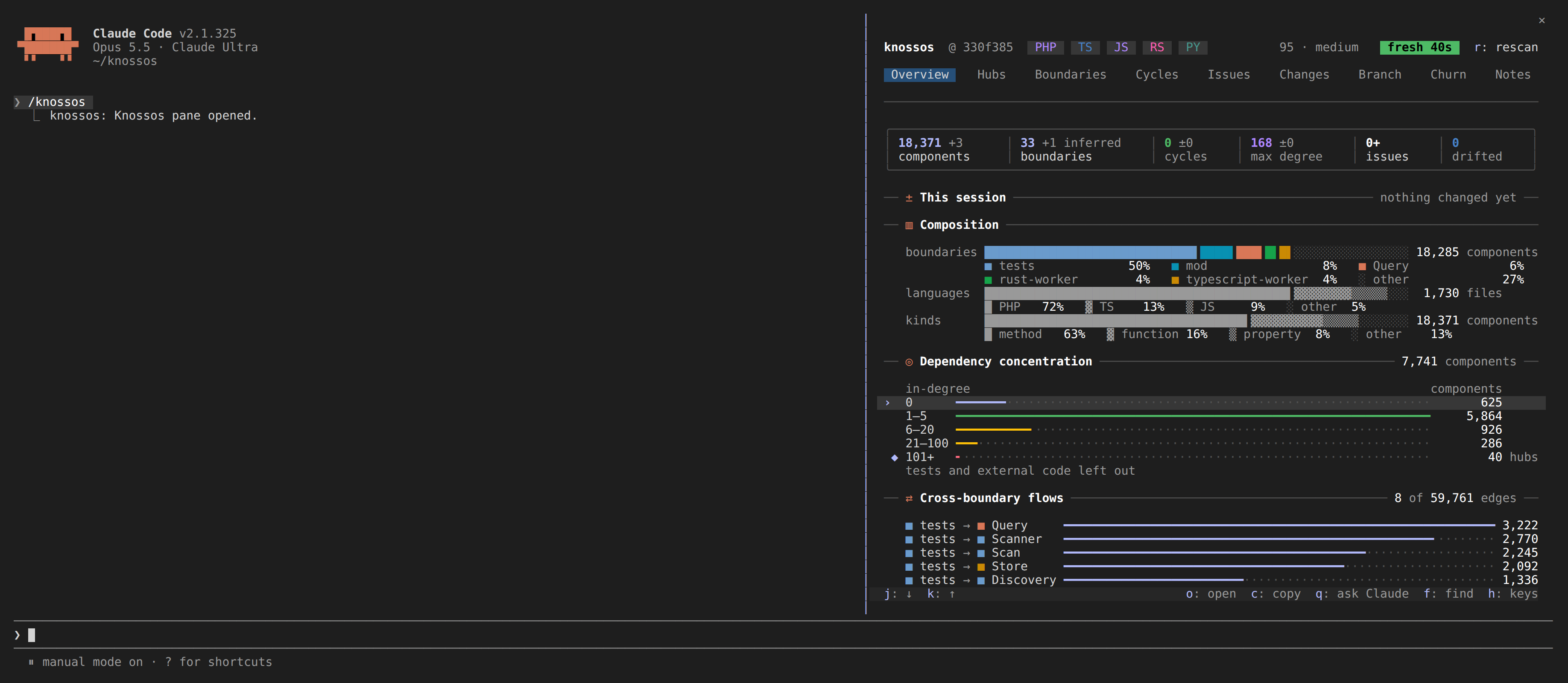
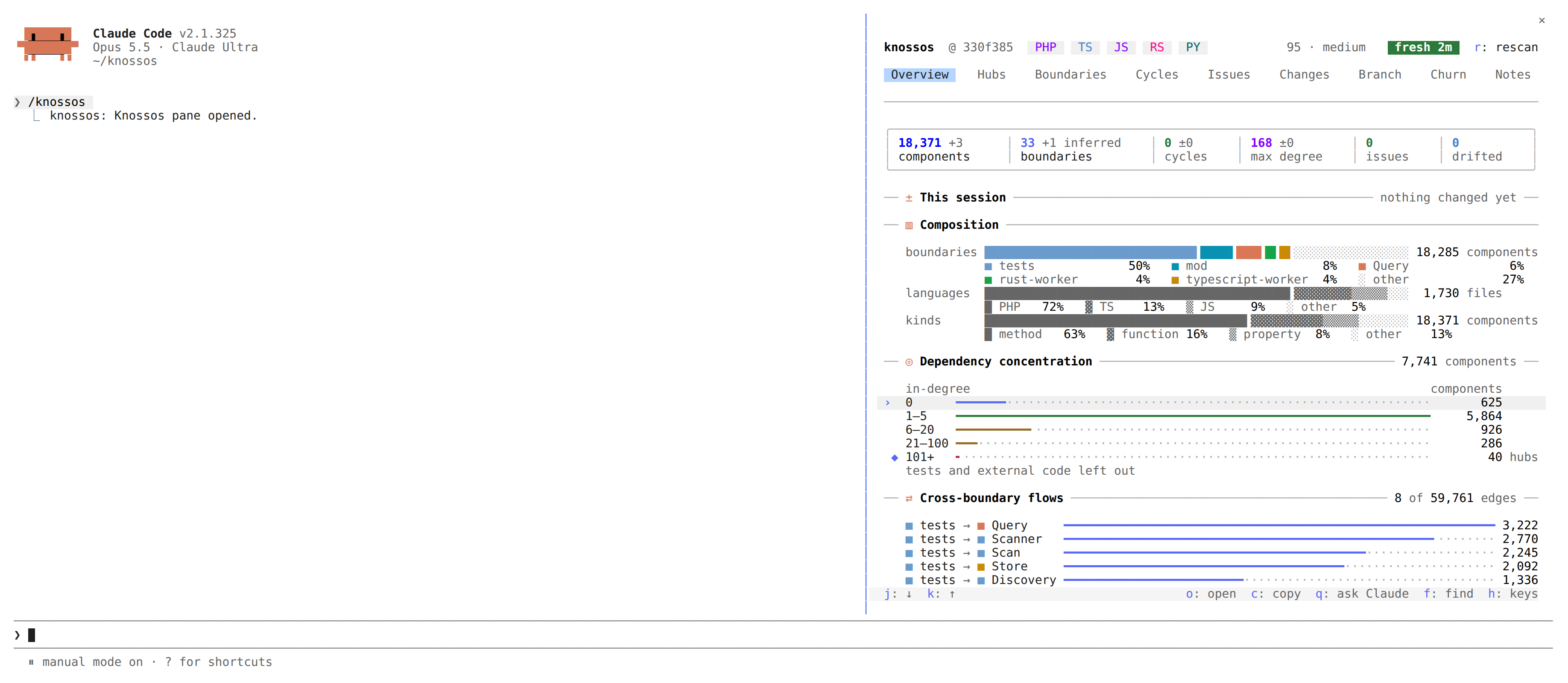
Where you use the graph decides what you set up next.
You work in Claude Code. Install the plugin. It injects a session brief at the start of each session and adds the architecture pane, where you browse hubs, cycles, boundaries and the diff of a turn. The pane page shows how to open it.
You use another agent or a script. Register the MCP server as described for your client in Codex and other MCP clients and read agent integration for the tools an agent calls first. The full list is in the MCP tool reference.
You want the graph kept current. Run watch mode, or let a read tool rescan a stale graph on its own, as agent integration describes.